How To Cancel Your Disney Plus Subscription

If you've ever struggled to cancel a recurring subscription, you're not alone. According to the Federal Trade Commission, some companies have been using "illegal subscription tricks and traps" to hide the true cost of their services or make it difficult for consumers to cancel their subscriptions.

As a result, the FTC is cracking down on companies that engage in these unfair business practices. Under the latest FTC guidelines, a company must make it as easy to cancel as it is to sign up for the service in the first place.

If you’re looking to cancel your Disney Plus subscription, whether due to rising costs, switching to another service, or just taking a break, this guide will walk you through every cancellation method in 2025.

Disney Plus in 2025: What You’re Paying For

Disney Plus remains one of the top global streaming platforms, with nearly 247 million subscribers.

Current Disney Plus pricing (2025):

  • Standard with Ads – $7.99/month
  • Standard (No Ads) – $13.99/month
  • Premium (4K UHD, 4 devices) – $19.99/month

💡 Note: Prices may vary by region and device provider.

With costs rising more than 70% since 2022, many subscribers are reconsidering whether to keep the service.

How to Cancel Disney Plus Subscription From Your Web Browser

  1. Go to your Disney Plus account.
  2. Click Log In (top right) and enter your account details.
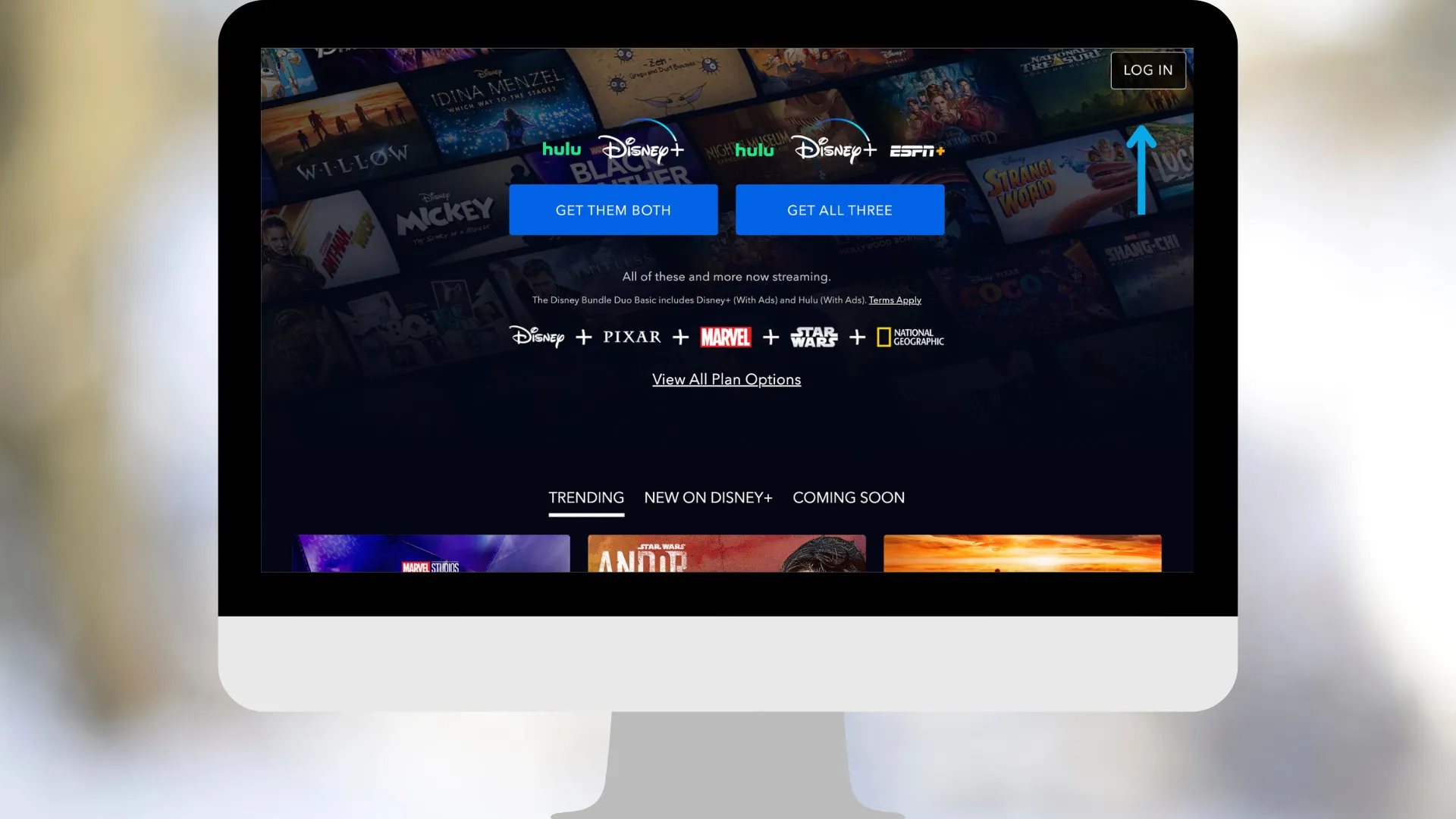
    How to cancel your Disney plus subscription on your web browser step one
  3. Click your profile icon: In the upper-right corner of the screen, you'll see your name and profile icon. Click on the icon to load a user menu
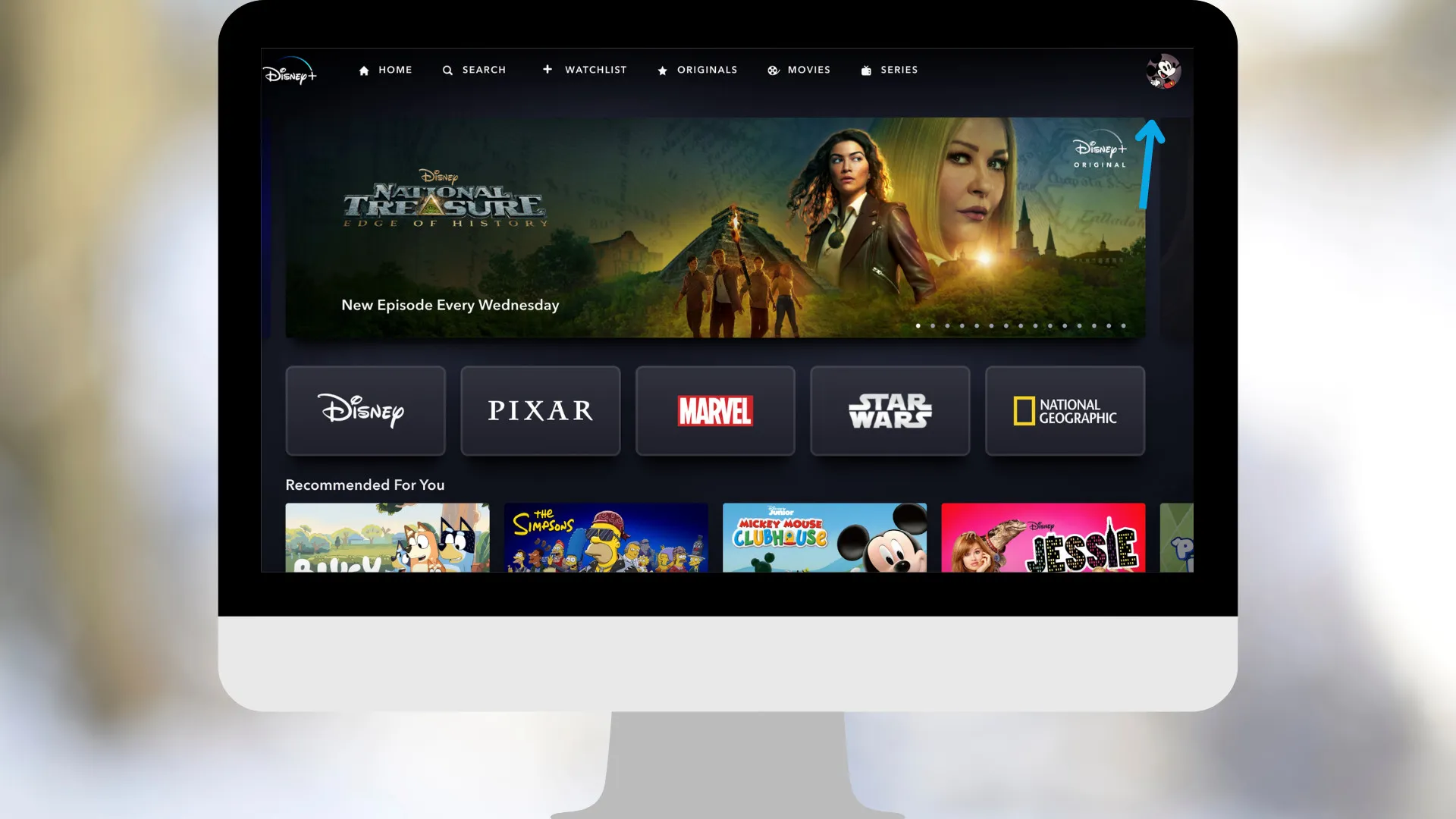
    How to cancel your Disney plus subscription on your web browser step two
  4. Select Account: Select the Account option from the user menu. It's between "App settings" and "Help".
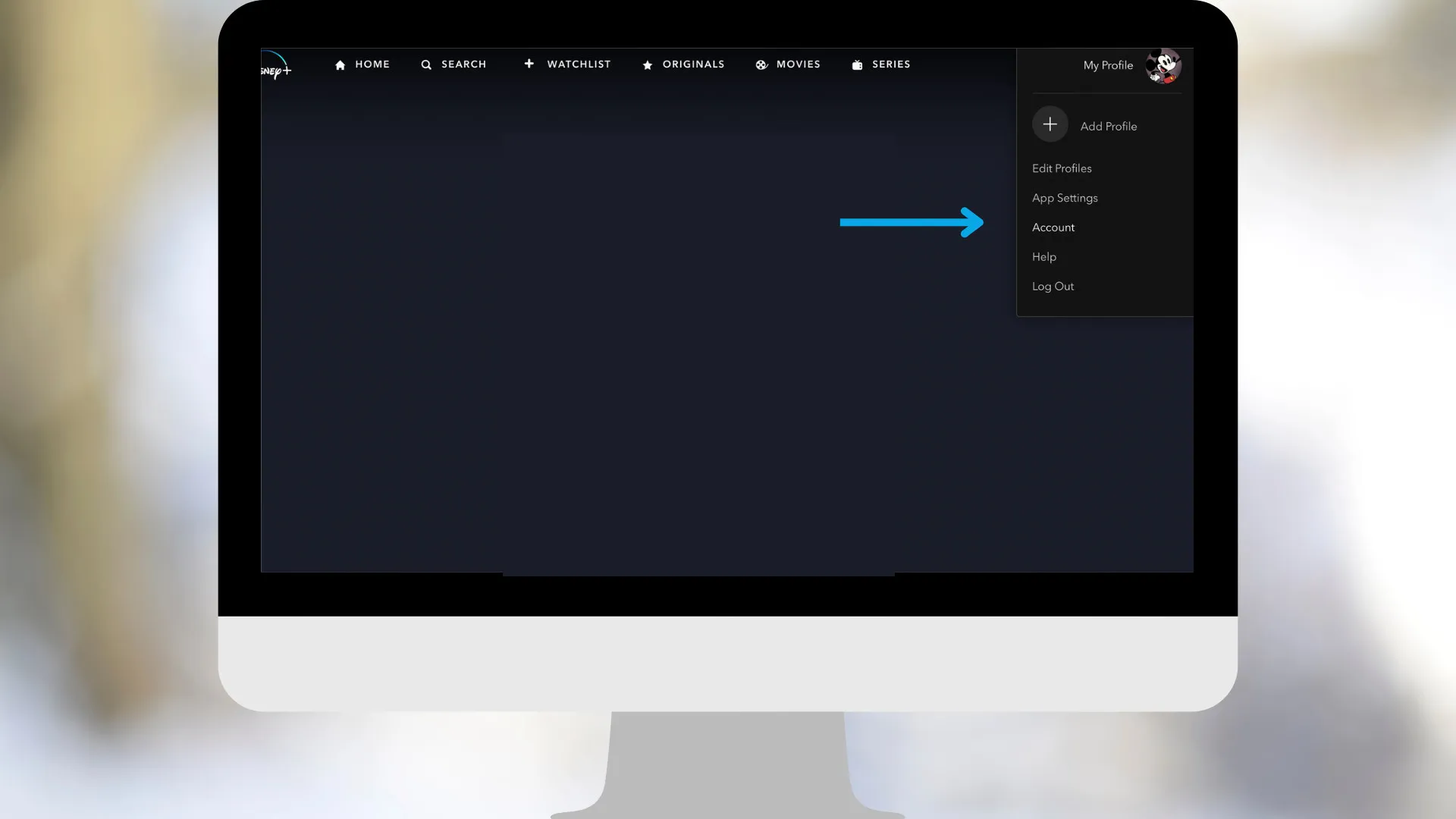
    How to cancel your Disney plus subscription on your web browser step three
  5. Click Cancel Subscription: You'll see a button that says 'Cancel subscription' in red text. Click this button. On the next screen, you may receive an offer for a lower-priced plan. Click the blue 'Continue to Cancel' button underneath the offer. On the final screen, click 'Cancel Subscription' to finalize the cancellation.

    How to cancel your Disney plus subscription on your web browser step three

How to Cancel Disney+ on iPhone (Apple Subscriptions)

You can also cancel Disney+ from your iPhone. If you signed up through Apple/iTunes:

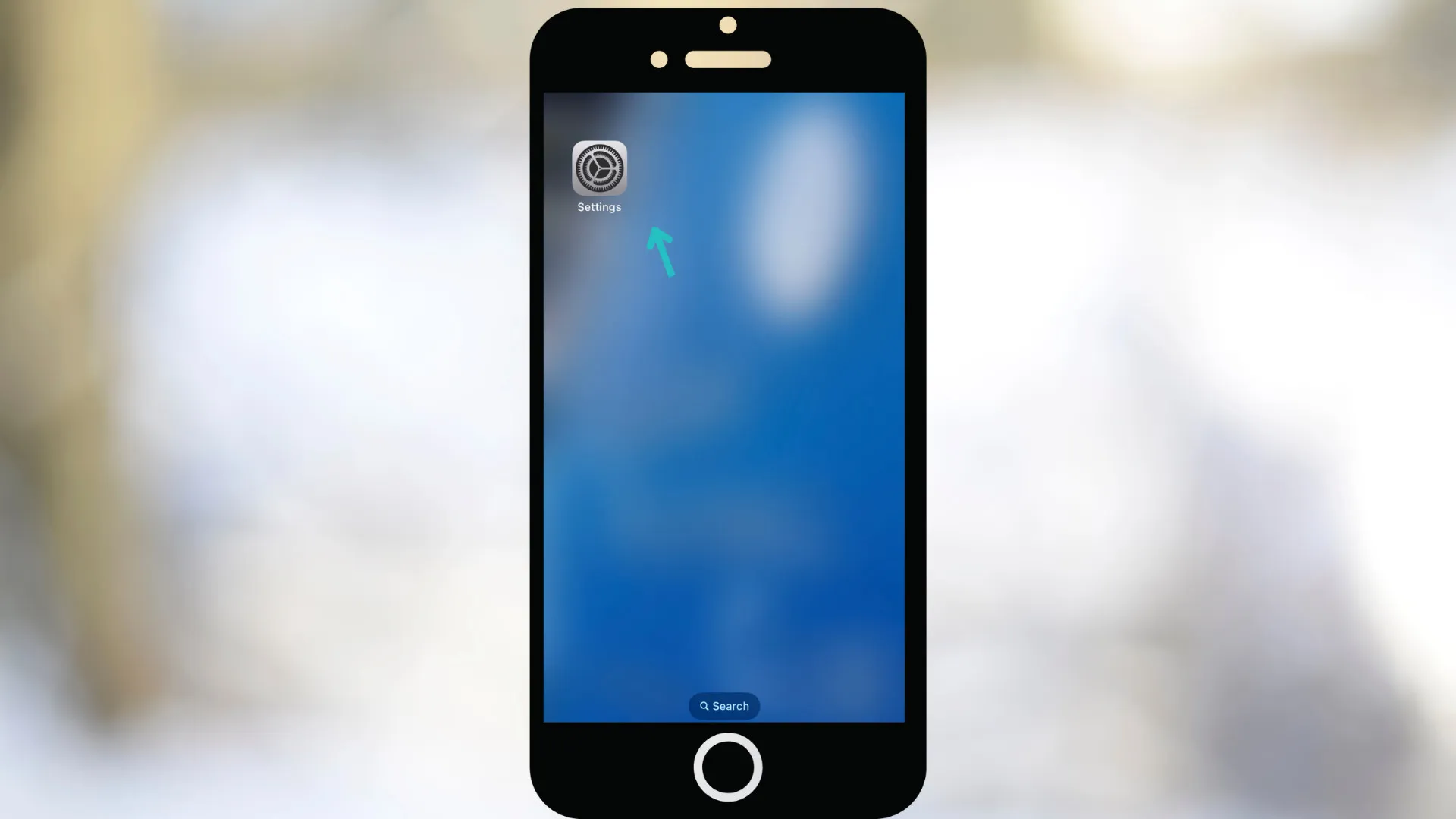
  1. Open Settings on your iPhone.

    How to cancel your Disney plus subscription on iphone step one
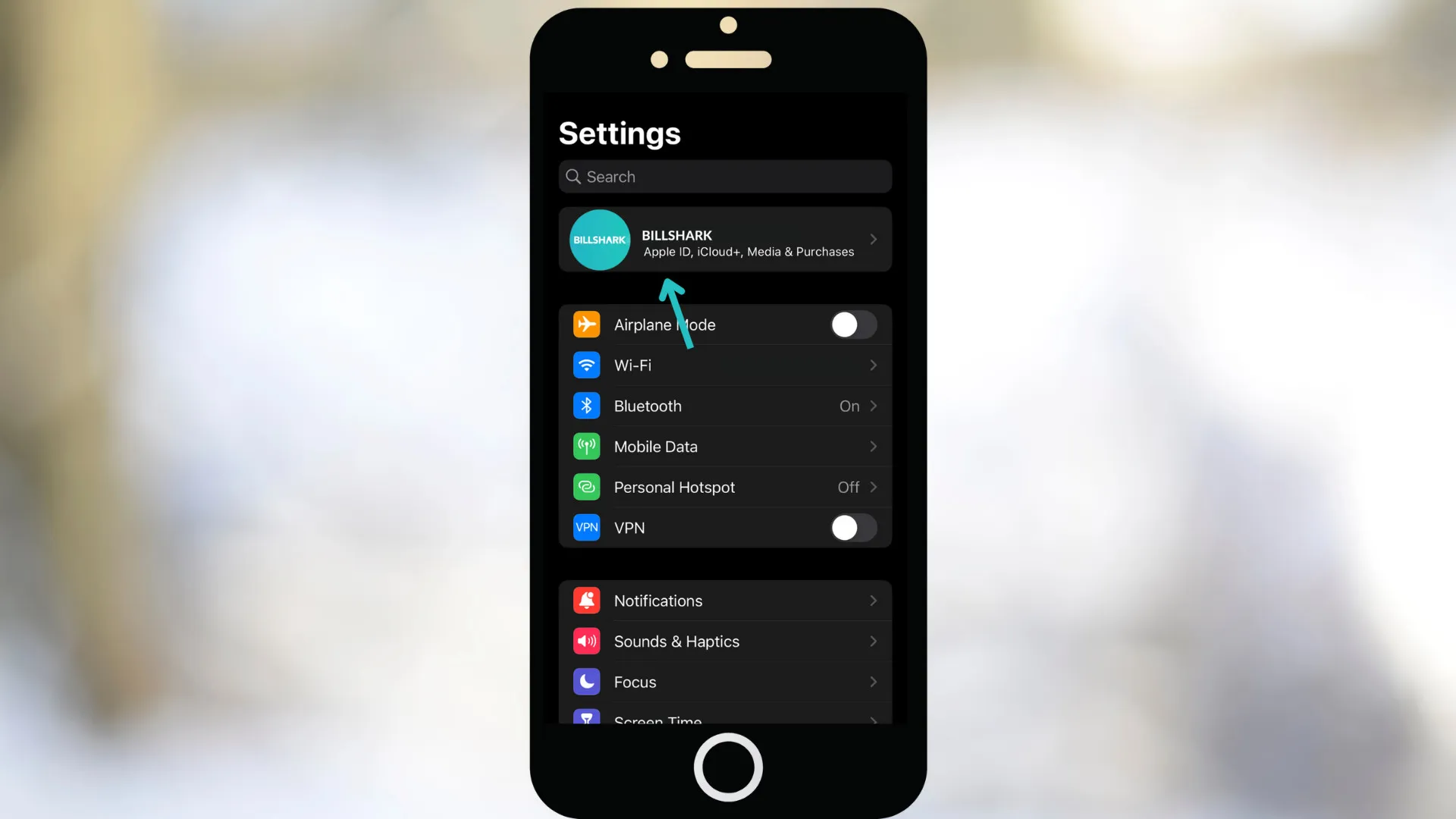
  2. Tap your Apple ID (top of screen).

    How to cancel your Disney plus subscription on iphone step two
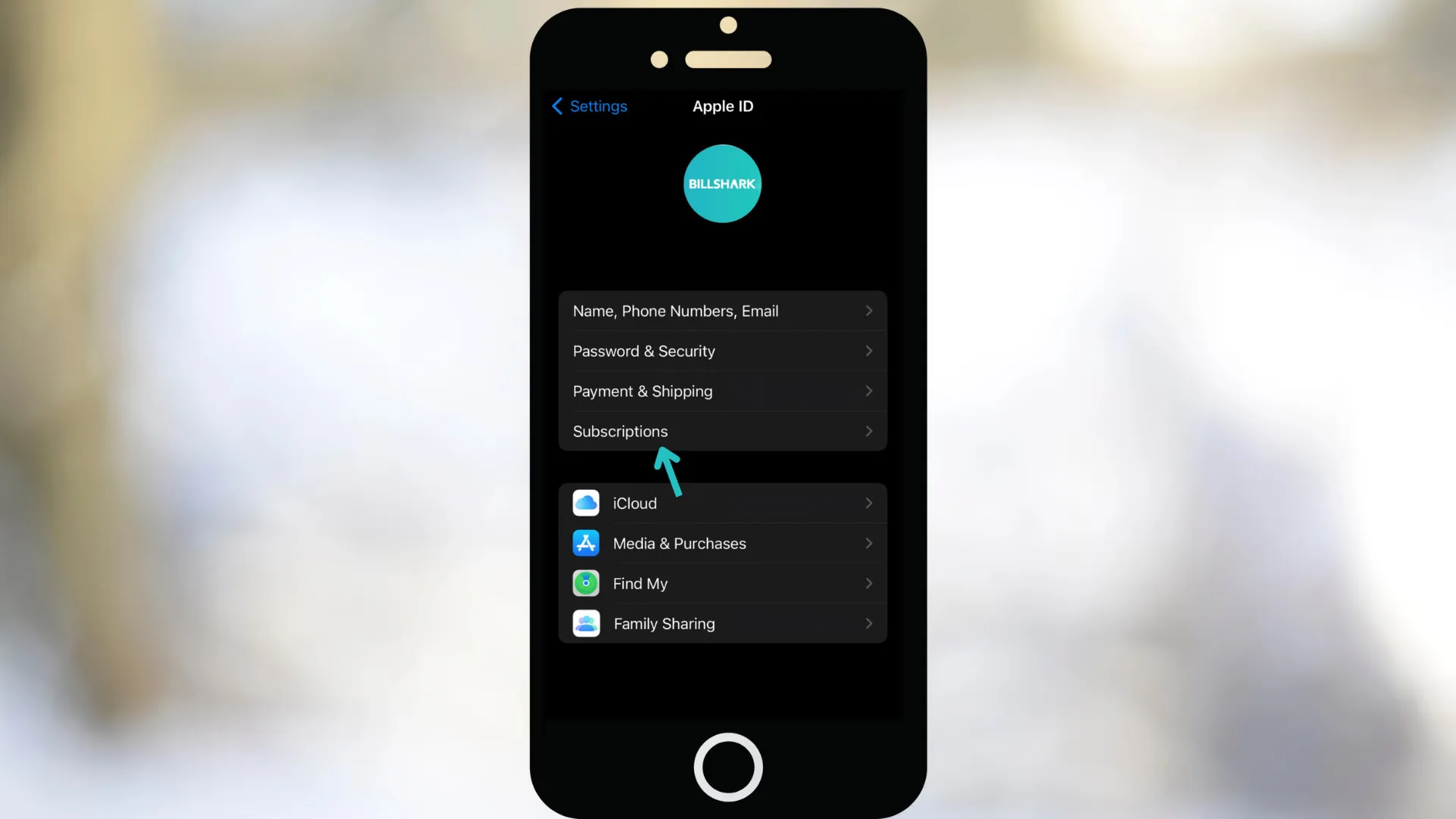
  3. Select Subscriptions.

    How to cancel your Disney plus subscription on iphone step three
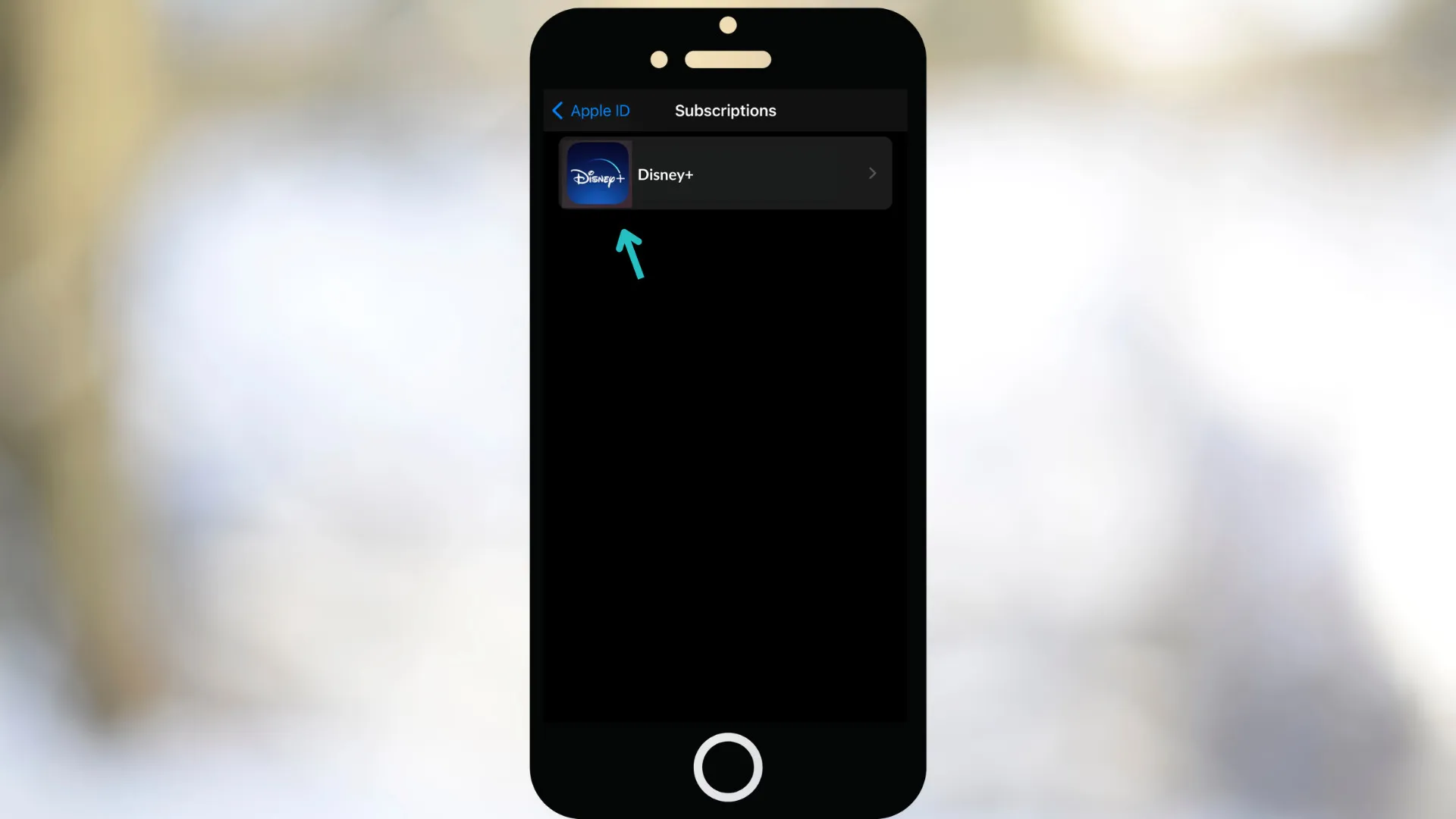
  4. Tap Disney+.

    How to cancel your Disney plus subscription on iphone step four
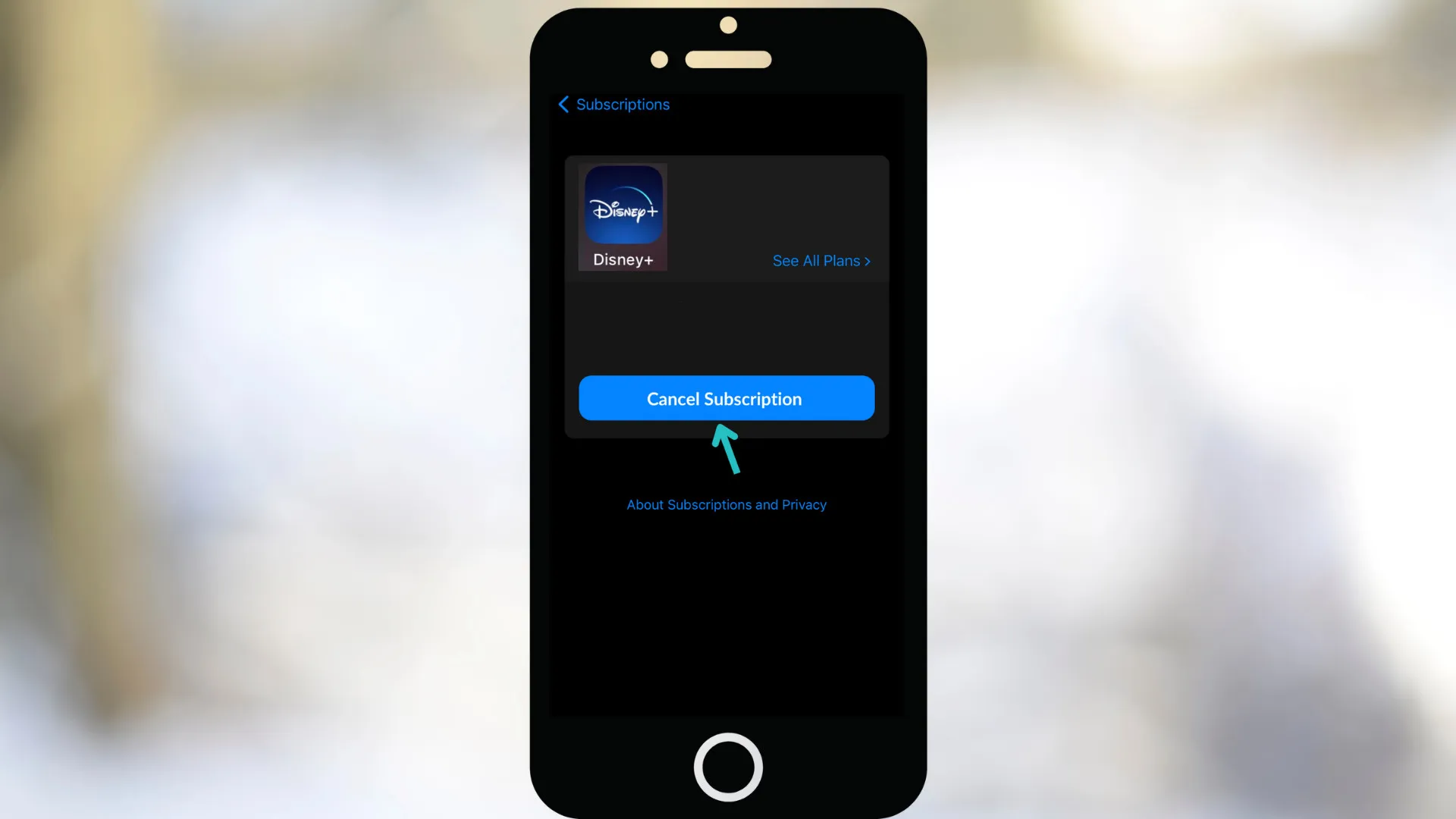
  5. Tap Cancel Subscription.

    How to cancel your Disney plus subscription on iphone step five

How to Cancel Disney+ on Android (Google Play)

If you subscribed via the Google Play Store, follow these steps to cancel a Disney+ subscription with your Android device:

  1. Open the Google Play Store app or visit Google Play online Store
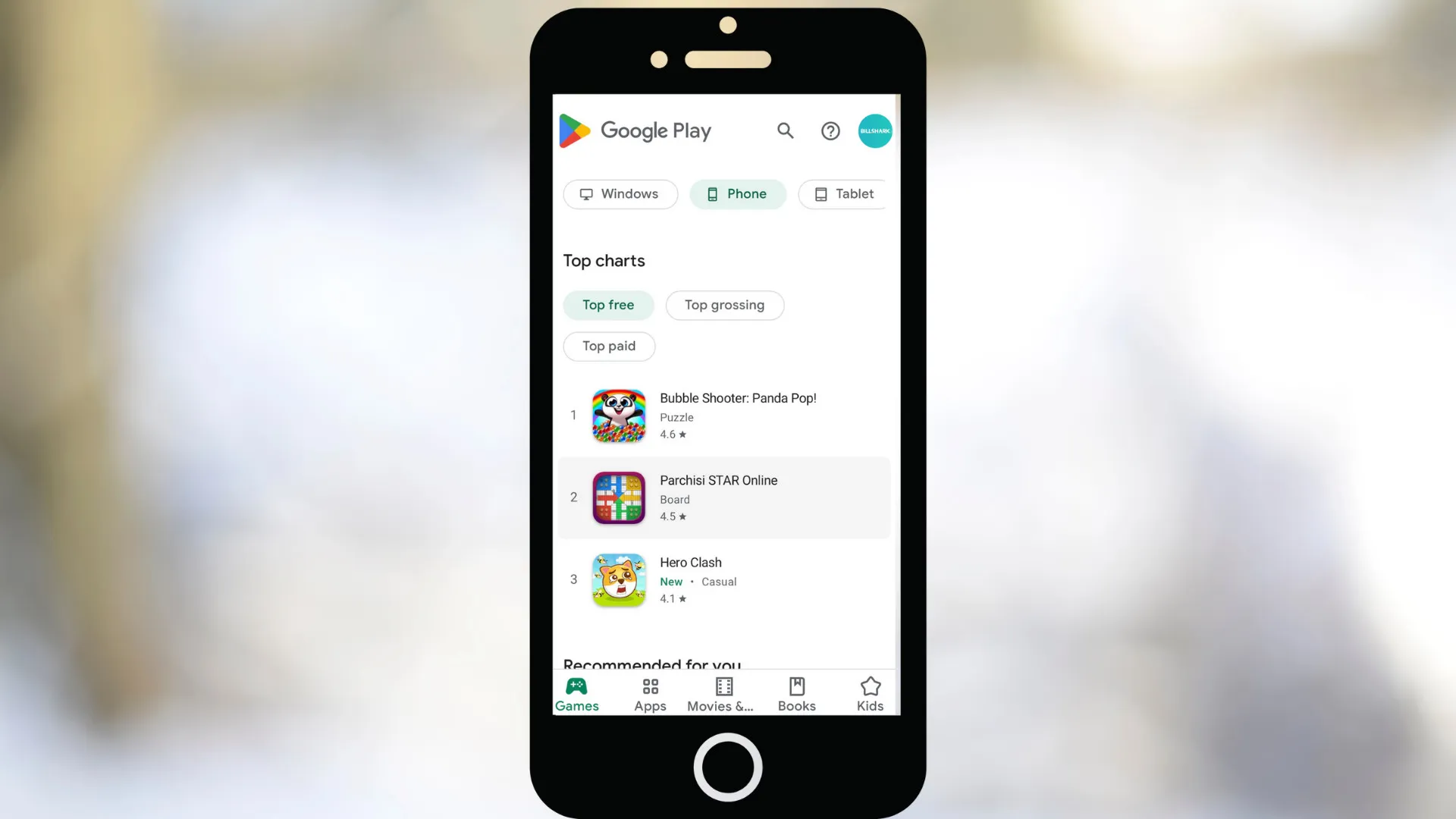
    How to cancel your Disney plus subscription on google play step one
  2. Log in if needed.

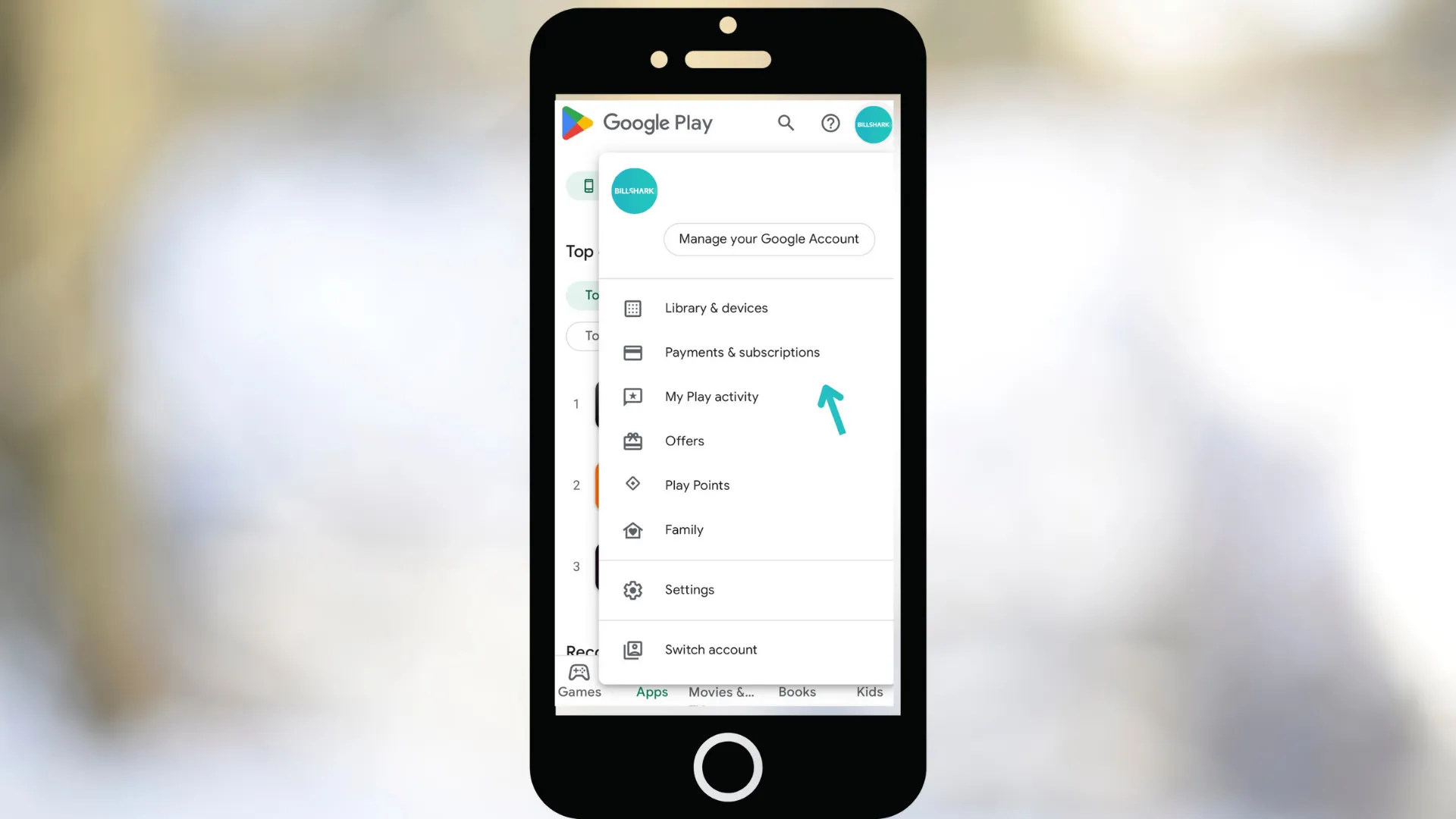
  3. Select Payments & Subscriptions.

    How to cancel your Disney plus subscription on google play step three
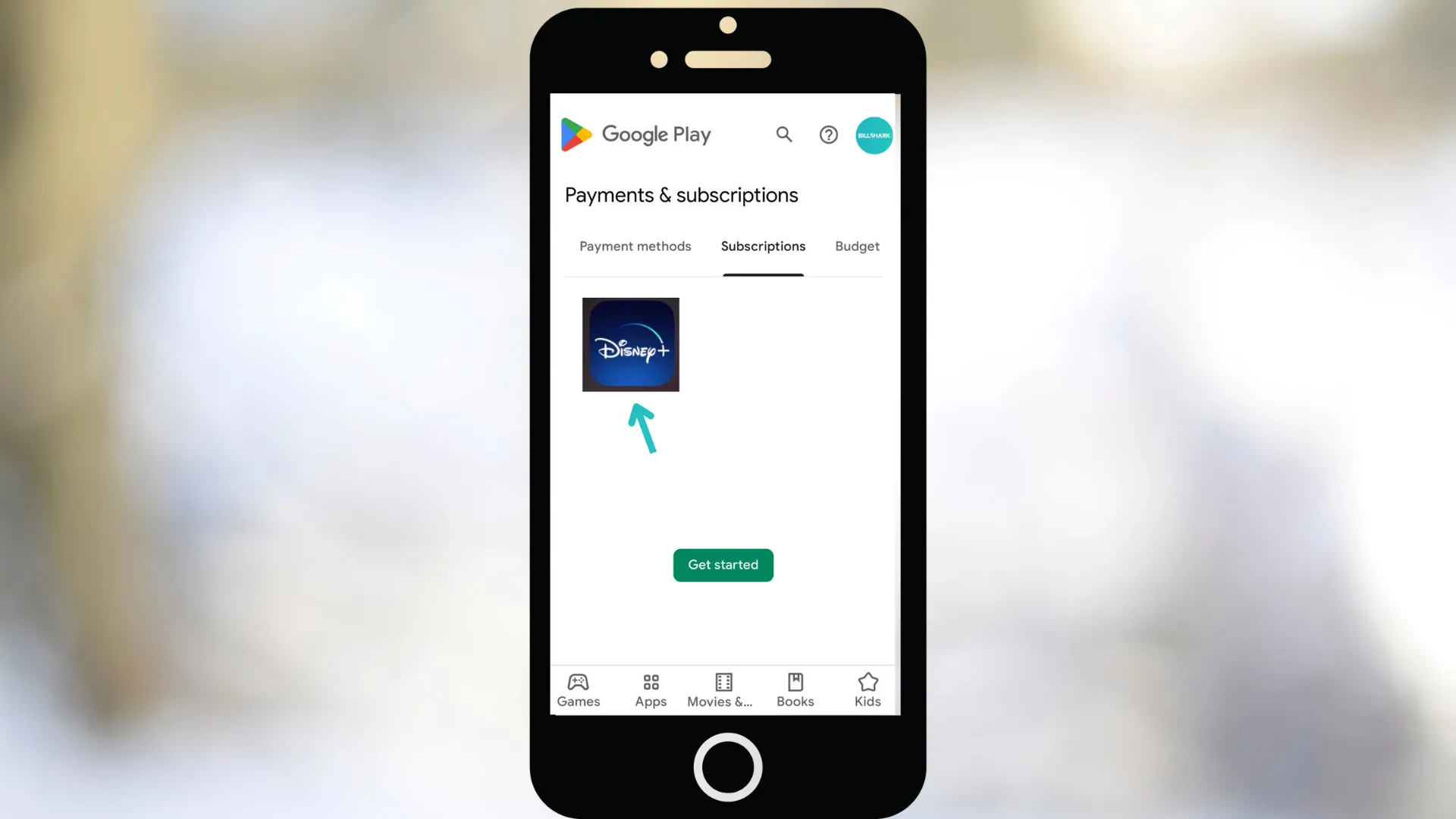
  4. Tap Disney+ → Manage.

    How to cancel your Disney plus subscription on google play step four
  5. Tap Cancel Subscription.

FAQs:

A: Disney+ usually does not issue refunds for unused days, but Billshark may help negotiate partial credits.

A: You’ll continue to have access until your current billing period ends.

A: Yes, you can reactivate anytime by logging back in and selecting a plan.

A: No, canceling only stops billing. Your account remains if you want to return.

Featured Posts

Loading featured post

Article summary.

Article: Avoid Extra Charges When Canceling Disney Plus.

Topic: Learn how to easily cancel your Disney Plus subscription and avoid.

Section: Disney Plus in 2025: What You’re Paying.

Section: How to Cancel Disney Plus Subscription From Your Web Browser.

Section: How to Cancel Disney+ on iPhone (Apple Subscriptions).

Section: How to Cancel Disney+ on Android (Google Play).

Section: FAQs.

Easy notes.

  • This page covers avoid extra charges when canceling disney.
  • Read one short part at a time.
  • Start with the main point.
  • Take one clear step next.
  • Use the short list first.
  • Use the short headings in order.

Article details.

If you've ever struggled to cancel a recurring subscription, you're not alone. According to the Federal.

As a result, the FTC is cracking down on companies that engage in these unfair business.

If you’re looking to cancel your Disney Plus subscription, whether due to rising costs, switching.

Disney Plus remains one of the top global streaming platforms, with nearly 247 million subscribers.

💡 Note: Prices may vary by region and device provider.

With costs rising more than 70% since 2022, many subscribers are reconsidering whether to keep.

Click Log In (top right) and enter your account details.

Click your profile icon: In the upper-right corner of the screen, you'll see your name.

Select Account: Select the Account option from the user menu. It's between "App settings" and "Help".

Click Cancel Subscription: You'll see a button that says 'Cancel subscription' in red text. Click.

You can also cancel Disney+ from your iPhone. If you signed up through Apple/iTunes.

If you subscribed via the Google Play Store, follow these steps to cancel a Disney+ subscription.

This Billshark blog page focuses on learn how to easily cancel your disney plus subscription.

Readers can use Billshark articles to compare service costs, understand billing trends, and discover practical ways.

Each blog page is part of Billshark's larger money-saving library, which includes provider comparisons, cancellation guides.

These articles are designed to help readers make better decisions about subscriptions, telecom services, recurring monthly.

Quick takeaways.

  • Detail: If you've ever struggled to cancel a recurring subscription, you're not alone.
  • Detail: As a result.
  • Detail: If you’re looking to cancel your Disney Plus subscription.
  • Detail: Disney Plus remains one of the top global streaming platforms, with nearly 247 million subscribers.
  • Detail: 💡 Note: Prices may vary by region and device provider.
  • Detail: With costs rising more than 70% since 2022.
  • Detail: Click Log In (top right) and enter your account details.
  • Detail: Click your profile icon.
  • Detail: Select Account: Select the Account option from the user menu.
  • Detail: Click Cancel Subscription: You'll see a button that says 'Cancel subscription' in red text.
  • Detail: You can also cancel Disney+ from your iPhone.
  • Detail: If you subscribed via the Google Play Store.
  • Detail: Open the Google Play Store app or visit Google Play online Store.
  • Detail: A.
  • Key point: Standard with Ads – $7.99/month.
  • Key point: Standard (No Ads) – $13.99/month.
  • Key point: Premium (4K UHD, 4 devices) – $19.99/month.
  • Key point: Go to your Disney Plus account.
  • Key point: Click Log In (top right) and enter your account details.
  • Key point: Click your profile icon.
  • Key point: Select Account: Select the Account option from the user menu.
  • Key point: Click Cancel Subscription: You'll see a button that says 'Cancel subscription' in red text.
  • Key point: Open Settings on your iPhone.
  • Key point: Tap your Apple ID (top of screen).
  • Key point: Select Subscriptions.
  • Key point: Tap Cancel Subscription.
  • Key point: Open the Google Play Store app or visit Google Play online Store.
  • Key point: Select Payments & Subscriptions.
  • Key point: Tap Disney+ → Manage.
  • Related: top global streaming platforms.

Questions and answers.

What does "Avoid Extra Charges When Canceling Disney Plus" explain?

If you've ever struggled to cancel a recurring subscription, you're not alone. According to the Federal.

What topics does this Billshark guide cover?

The guide covers Disney Plus in 2025: What You’re Paying For, How to Cancel Disney Plus.

Why does this topic matter for readers?

As a result, the FTC is cracking down on companies that engage in these unfair business.

How can readers use this Billshark guide?

If you’re looking to cancel your Disney Plus subscription, whether due to rising costs, switching.

Disney Plus remains one of the top global streaming platforms, with nearly 247 million subscribers.

💡 Note: Prices may vary by region and device provider.